
Are you overwhelmed by the complexity of Google Search Console indexing? You can stop stressing over it now. In this blog, we present you a crisp yet comprehensive guide of steps to follow if you want to request indexing using Search Console.
Let’s learn what indexing means and why it is important for you first.
What is Indexing?
Indexing is a method used by search engines like Google, Bing, and Yahoo to verify and store web pages. Once your page is indexed, it can appear in search results.
Why should your site be indexed?
Without indexing, you can never have an online presence (YES, you heard it right!). Therefore, it is clear that indexing is critical for your site’s SEO performance and ability to drive organic traffic.
Introducing Google Search Console and its key features
Google Search Console, is a free tool that enables Google Search Central (formerly known as Webmasters) to monitor their site’s presence in Google Search results.
You can monitor, manage, and troubleshoot your page’s presence in Google Search using its range of powerful tools.
Associated with Google Search Console Indexing, its key features are:
1. Index Coverage Report-
This report showcases which pages are indexed
2. URL Inspection Tool-
You can get detailed indexing data for your URLs.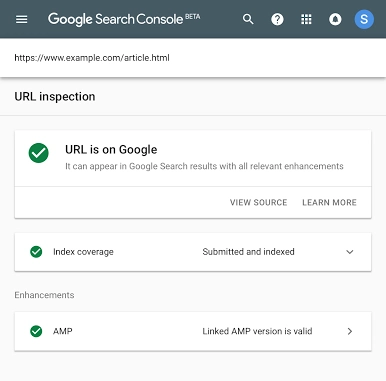
3. Sitemaps-
You need to submit sitemaps to help Google understand the structure of your website.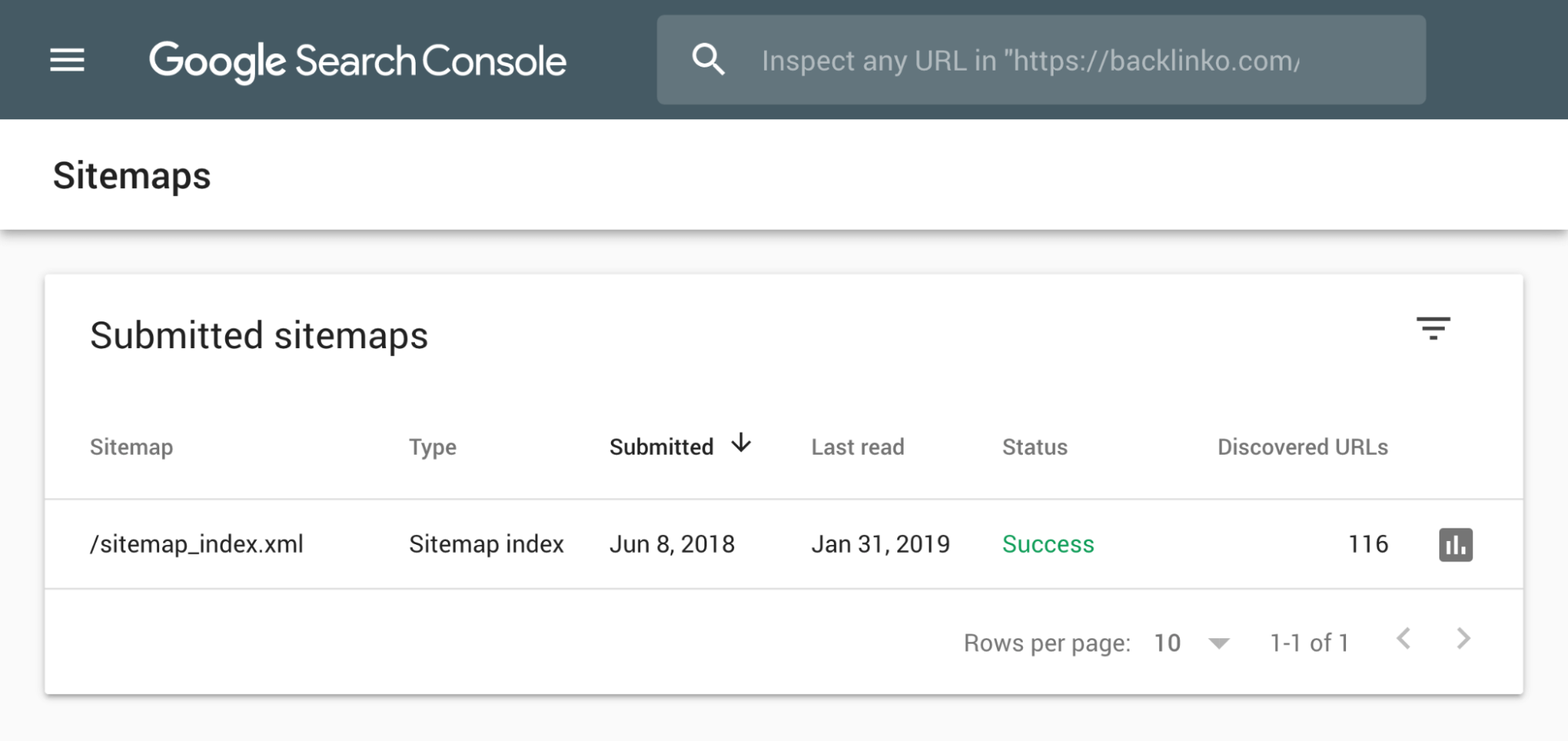
We know Search Console can be a bit daunting, but you can avoid dealing with all of it alone. Let us help you to get indexed fast by eliminating the need for manual submissions on the Search Console through Fast Indexer Pro.
How to Index Website in Google Search Console
1. You Have to Prepare for Indexing
Your Site Ownership Verification
You want to verify your site’s ownership, to begin with Google Search Console. This verification requires you to add a meta tag to your site’s HTML, upload an HTML file, or use your domain name provider.
Submitting a Sitemap
Once you submit a sitemap, Google bots can quickly discover all the pages on your site. To do so, you have to click the “Sitemaps” section in Google Search Console and enter the URL of your sitemap.
2. Requesting Indexing
Brief Guide to Request Indexing using the URL Inspection Tool
- Log in to Google Search Console
- Paste the URL you want to get indexed in the URL Inspection bar.
- Get to know the current indexing status of your submitted URL.
- If not indexed, click on the “Request Indexing” button.
With Fast Indexer Pro, you can omit these steps and get your site within an hour. Don’t believe it? Check out our free plan now.

When Do You Need This Tool?
You should consider doing the above steps for requesting indexing only when you publish new content, need to update an existing page, or fix indexing issues. By doing so, you inform Google about the changes in your page which is the key requirement to be indexed.
Indexing Best Practices
Delivering Top-Notch Content to the Audience
Google tends to rank unique and user-friendly content. Compromising with content can be disastrous for your website’s health. So, you have to create content keeping in mind your target audience’s needs and pain points.
Keep Your Website Free from Technical Errors
You have to keep in mind technical errors such as the wrong use of robots.txt, broken links, and server errors can completely damage your site’s health. You should keep these aspects in check to make sure that the site is crawlable.
Regular Updates
Your content should align with changing trends and ever-flowing information to remain updated. When you update your content consistently, Google becomes more active in crawling and indexing your site time and again.
Using Google Search Console to get your site indexed is a straightforward process that improves your site’s visibility in search results. As per the guide presented to you in this blog and adhering to best practices, you can ensure your content is indexed effectively.
Don’t forget to maintain your site’s presence and performance in Google search results through regular monitoring and updates.
If you want to lessen the burden,Fast Indexer Pro can help you ease the tedious process of indexing.